Web Push Notification Best Practices: A Practical Guide to Browser Push Notifications and Web Push Engagement
Learn web push notification best practices to improve timing, consent, and relevance for better browser push notifications and engagement.
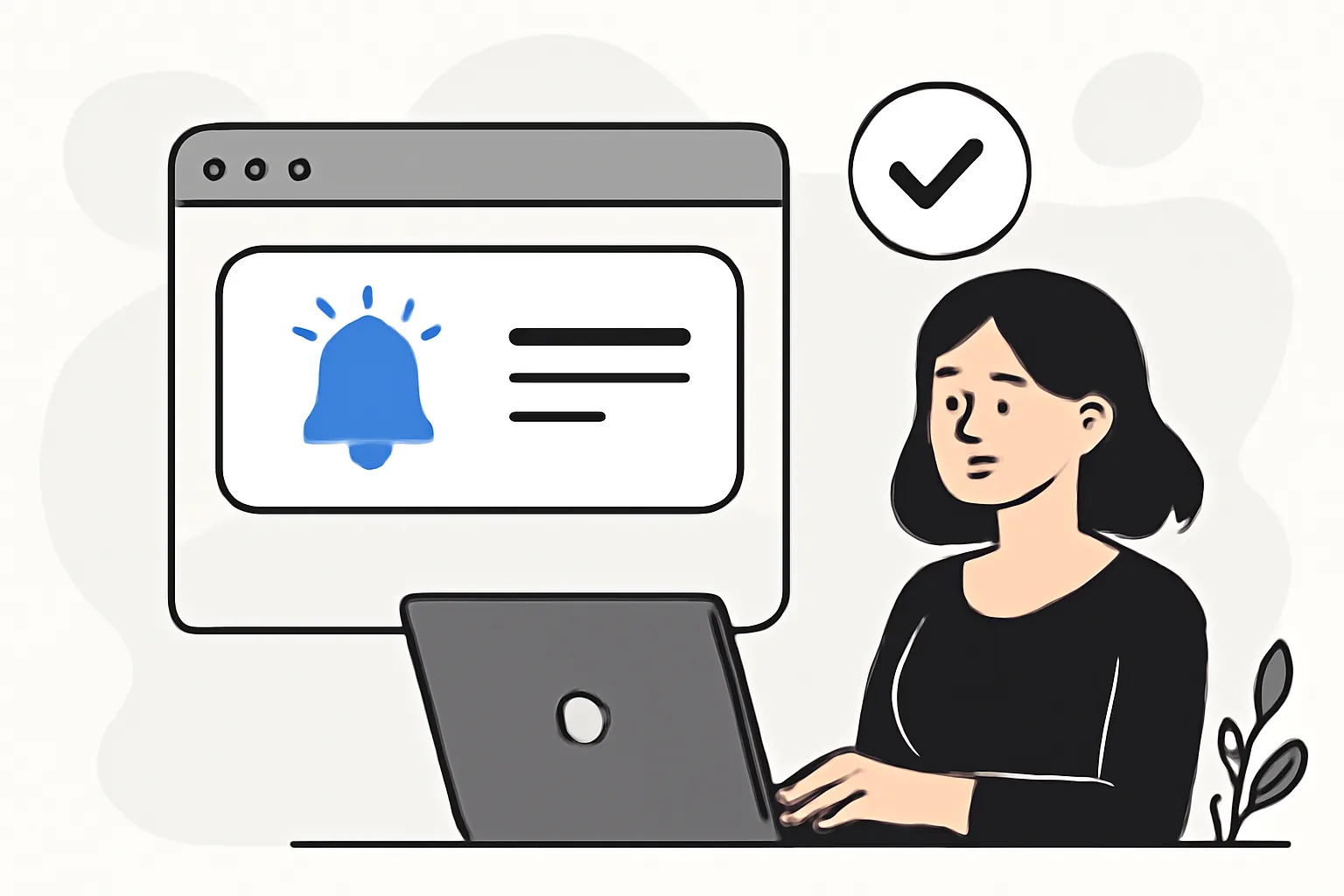
Web push notifications have become one of the most direct ways to reach people after they leave a site. Done well, they feel timely and useful. Done badly, they feel like a nuisance that appears in the corner of the screen and disappears just as quickly from memory. The difference usually comes down to a handful of practical choices: how you ask for permission, what you send, when you send it, and where you send people after they click.
This guide walks through the essentials of browser push notifications and the habits that make web push engagement worth the effort. If your team already works with lifecycle messaging, you may notice some overlap with email discipline: consent matters, targeting matters, and relevance matters most. In fact, if you are thinking about broader permission-based messaging strategy, it can help to look at related practices such as Email Suppression List Management, because the same basic principle applies: respect the user’s choices and keep communication clean.
What Are Web Push Notifications?
Web push notifications are short messages sent through a browser, even when a user is not actively browsing your site. They appear on desktop or mobile devices depending on browser support and operating system settings. Unlike email, they do not require an inbox. Unlike social posts, they do not depend on a platform feed. And unlike in-app messages, they can reach people after they close the tab.
Here is the basic flow. A visitor lands on your site. The browser asks whether the site may send notifications. If the visitor agrees, the browser stores a permission token. Later, your system can send a push message through the browser’s push service, which then displays the notification on the device. The site does not need to stay open at the moment the message is delivered.
That technical simplicity is part of the appeal, but it can also create confusion. Browser push notifications are not the same as SMS, not the same as email, and not the same as app notifications. They are brief, lightweight, and interruption-based by design. That means the message has to earn attention fast. There is no room for a long explanation, a clever lead-in, or a paragraph of context. The notification has to do its job in a glance.
There is also a practical distinction worth keeping in mind: push is not a replacement for your full messaging stack. It works best as a complementary channel. A user might get a cart reminder by push, a receipt by email, and a support update inside the account area. Each channel has its role, and web push is strongest when it is used for moments that benefit from immediacy.
Why Web Push Notifications Matter for Engagement
Web push engagement matters because it can bring users back at the right moment without waiting for them to return on their own. Someone browses product pages, leaves without buying, and later receives a reminder about the exact item they were considering. Someone follows a news category and gets notified when a fresh story appears. Someone saves a recipe, a job listing, or a price alert. The point is not to shout louder. It is to respond sooner.
That timing advantage makes browser push notifications especially useful for organizations that cannot depend entirely on email or social platforms. Email inboxes are crowded. Social reach can be unpredictable. Search traffic is valuable, but it is rarely immediate. Push gives you a direct line back to people who have already shown interest and agreed to hear from you.
There is another reason teams lean on push: it tends to reward relevance more visibly than some other channels. If the notification is good, the click happens quickly and the user lands exactly where they expected. If the message is off, the feedback is immediate too. They dismiss it, unsubscribe, or simply ignore the next one. In other words, push is a useful mirror. It tells you very quickly whether your targeting and timing are working.
That is why web push engagement should be thought of as a relationship, not a one-off tactic. The first message is only the beginning. The real value comes from sending the right follow-up at the right moment, building enough trust that people continue to accept the notifications instead of turning them off after a week.
Web Push Notification Best Practices for Permission and Consent
The first rule is straightforward: ask for permission respectfully. A browser prompt that appears the moment someone lands on the homepage is rarely a good idea. Most visitors have not yet learned enough about your site to make a meaningful decision. They need context first. They need a reason to believe the notifications will help them.
A better approach is to use a pre-prompt or an explanation screen. Tell visitors what they will receive and why it matters. For example, a shopping site might say they can opt in to back-in-stock alerts or price drops. A news site might offer breaking updates in selected categories. A sports site might promise match reminders and score updates. The promise should be concrete, not vague. “Stay updated” is soft. “Get notified when your saved item comes back in stock” is much better.
Timing matters too. Ask after a moment of value, not before it. Someone who has read three articles, viewed a product, or completed a useful action is far more likely to understand the benefit. That is also where trust lives: in the feeling that the site is responding to their behavior rather than trying to corner them.
Compliance and user trust should remain front and center. Make sure users can decline without friction, and make it easy to change their minds later. Don’t bury your opt-out options. Don’t use dark patterns. Don’t confuse browser permissions with site account preferences. A user may allow browser notifications but still want to manage settings inside their profile. Those are related, but not identical, forms of consent.
One more practical note: permission quality matters as much as permission quantity. A smaller list of genuinely interested subscribers is usually better than a large list of accidental opt-ins. It is the same logic behind maintaining clean communication systems elsewhere. If you are already thinking in terms of deliverability and sender trust, the discipline around permission should feel familiar. For a broader technical perspective on deliverability hygiene, the related article on DKIM SPF DMARC setup for transactional is useful reading, even though push and email operate differently.
Crafting Effective Push Messages and Offers
Push messages work best when they are brief, specific, and action-oriented. The notification title and body should make sense at a glance. If someone needs to pause and decode the message, you have already lost some of the impact.
Start with clarity. Say what happened, what changed, or what is being offered. Then make the next action obvious. For example:
- “Your saved item is back in stock — view it now.”
- “New article in your favorite topic — read the latest update.”
- “Price dropped on the shoes you viewed yesterday.”
These examples are not flashy, but they work because they are grounded in intent. They refer to a specific action the user already took. That connection is often more persuasive than a clever headline or a generic promo. Good push copy sounds like a continuation of a conversation, not an interruption from nowhere.
Personalization helps when it is used carefully. That does not mean stuffing a first name into every message. In many cases, behavioral personalization is more effective: the category a user followed, the product they saved, the article they finished, the city they selected, the plan they abandoned. Context gives the message shape. A notification about “new arrivals” is weaker than one about “new running gear in your size.”
Offers should also match intent. A returning visitor who abandoned a cart may respond to a reminder or a small incentive, while a loyal reader may value early access or a curated roundup more than a discount. The more closely the offer fits the user’s motivation, the more natural the notification feels.
Resist the temptation to be overly cute. Push copy has a narrow job. Humor can work, but only if the meaning survives at a glance. Ambiguity is expensive in this channel.
Timing, Frequency, and Segmentation Best Practices
When you send browser push notifications can matter as much as what you send. A message that lands too soon may feel pushy. One that lands too late may be irrelevant. The best timing usually follows the user’s own behavior. If someone abandons a cart, the reminder should not wait until the next week. If they just read a sports story, the follow-up should not arrive after the event has ended.
Frequency is equally important. If every visit triggers a notification, subscribers will tire quickly. If you only send once in a blue moon, the channel may never build momentum. The right balance depends on your audience, but the principle is consistent: send enough to be useful, not so much that you become background noise.
Segmentation helps solve both problems. Different people want different messages. Segment by behavior, interest, location, lifecycle stage, or content category. A new subscriber should not receive the same sequence as a long-time customer. Someone who has only browsed should not get the same offers as someone who has already purchased. Relevance goes up, opt-outs tend to go down, and the channel feels more like service than interruption.
One practical way to think about segmentation is to ask: what problem does this message solve for this specific person right now? If you cannot answer that in one sentence, the segment may be too broad.
This is also where internal coordination matters. Product teams may want promotional pushes, editorial teams may want content alerts, and support teams may want account notifications. Those goals can live side by side, but only if they are governed carefully. A push strategy without guardrails tends to drift into over-messaging very quickly.
Designing Click-Worthy Landing Pages and Deep Links
The notification is only half the experience. After the click, the landing page has to continue the promise made in the message. If the push says “Price dropped on the shoes you viewed yesterday,” the click should not land on the homepage. It should open the product page, ideally with the same item visible immediately. That is basic courtesy, and it also improves the odds of conversion.
Deep linking is the practical tool here. Send users directly to the most relevant page, not the broadest one. If the notification refers to a saved article, the article should open. If it refers to a cart, the cart should open. If it refers to a category update, the user should see the new content in that category. The less searching they have to do after the click, the better the experience.
Consistency matters as well. The promise in the notification should match the landing page headline, imagery, and call to action. If the message is about a limited-time offer, the page should make that offer visible immediately. If the user has to hunt for it, trust erodes. They may still buy, but they will remember the friction.
It also helps to keep mobile usability in mind. Many users receive push on mobile devices, where small tap targets and slow-loading pages can be the difference between a conversion and an exit. A clean, focused landing page usually outperforms a crowded one because it respects the user’s intent. They clicked for a reason. Don’t make them work for it.
Measuring Web Push Performance and Optimizing Results
To improve web push engagement, you need more than a sense that the notifications are “doing okay.” You need a measurement routine. Start with the basics: opt-in rate, click-through rate, conversion rate, unsubscribe or opt-out rate, and the behavior that happens after the click. If the open rate is not available in your setup, focus on the metrics you can reliably track.
Also watch for patterns. Which topics get the strongest clicks? Which segments respond best? Which sending times seem to work better? Which landing pages lose users after the click? The answers usually reveal small fixes rather than dramatic overhauls. Maybe the copy is too generic. Maybe the offer is strong, but the page is slow. Maybe one segment is tired of being treated like another.
A/B testing can be especially helpful. Test one variable at a time when possible. Try two message styles, two call-to-action phrasings, or two send times. If you change everything at once, you will not know which improvement mattered. Keep tests simple enough that the results are meaningful.
It is also worth reviewing the full user journey, not just the message itself. A notification may get a click but fail to produce value if the landing page is weak, the form is too long, or the offer is unclear. If the channel looks underperforming, the problem may not be the push. It may be what happens immediately after it.
For teams managing multiple notification systems, event tracking and operational visibility matter too. If you are already using tools to monitor message events elsewhere, the same discipline will help here. Related concepts such as email webhook events for transactional emails can offer a useful framework for thinking about event-driven messaging, even though the channel mechanics differ.
Common Mistakes to Avoid with Browser Push Notifications
The most common mistake is over-messaging. It is tempting to send whenever something changes, but users experience every notification as a small interruption. Too many interruptions, and they unsubscribe. The channel loses its value because people stop trusting that each alert will be worth their attention.
Another common problem is vague copy. “Check this out” does not say enough. “Don’t miss this” is not a strategy. A push notification needs a clear reason to exist. If the message cannot be understood instantly, it needs revision.
Poor targeting is just as damaging. Sending the same message to everyone may be faster, but it usually lowers relevance. Browser push notifications work best when they reflect actual user behavior and known interests. Broad blasts belong in campaigns with broader expectations; push usually is not one of them.
Weak permission practices can also undermine the whole program. If users feel tricked into opting in, they will not stay engaged for long. Respectful prompts, transparent value, and easy controls are not cosmetic extras. They are the foundation.
Finally, some teams forget to test the post-click journey. A strong notification followed by a broken page, a duplicate offer, or a confusing layout wastes the user’s attention. That attention is the scarce resource here. Treat it that way.
One last practical reminder: if you are comparing channels or diagnosing message performance across systems, good tooling helps. For deliverability-related troubleshooting and benchmarking, the article on email deliverability test tools is a useful reference point, especially for teams building a broader lifecycle messaging program.
Web push notifications reward restraint, relevance, and respect. They are most effective when they feel like helpful prompts rather than broadcasts, and when the full experience from permission to click feels coherent. Ask at the right moment. Say the right thing in a few words. Send people to the exact place they expected. Measure what happens. Then refine.
That may sound simple, but simplicity is the discipline. The best browser push notifications do not try to do everything. They do one useful thing at the right time, and they do it cleanly.
On this page
← All articlesOne click. It tells us what to write next.
No ratings yet — yours would be the first.
Comments
Comments are read before they appear.